


You press Retry on a failed render, and while the screen updates you press it once more. Now the same render runs twice at the same time, and you pay for it twice.
The app's tests were all passing, 240 of them. None of the orders a person thought of included this case. What found the bug was a check that walked through every possible order.
In this post:
- What pstack is and who made it
- The entry point, poteto-mode: how one line of instructions changes what the agent does
- Formal verification and TLA+, explained simply
- The seven steps of the formal verification skill: code → design reason → what actually happened
- Fixing the bug with the bug-fix playbook
- A red/green picture product people can read
- Time, tokens, and limits
How to read the numbers. [Official] means material published by the authors. [Measured] means numbers we measured ourselves on this Mac. We used pstack 0.15.30 with Claude Code (Opus 5.5). The screenshots come from our Korean-language video.
1. What is pstack
pstack is a set of skills that teaches AI coding agents how to work. Install it as a plugin in Claude Code or Cursor, and the order in which the agent fixes bugs and builds features changes.
- It was made by Lauren Tan, who worked at Meta and Netflix before Cursor and builds React Compiler on the React core team [Official] (pstack README).
- The README says: "these are the same skills i use every day to ship high quality code at Cursor."
- SpaceX completed its acquisition of Cursor on August 14, 2026, and Cursor is being integrated into the SpaceXAI team (SEC Form 8-K, CNBC). So pstack is how one Cursor engineer at SpaceXAI actually works, published openly. It does not mean the whole company works this way.
- It lives in Cursor's official plugin repository (cursor/plugins) under the MIT license, free for anyone.
Its motto: "If you want to go fast, go deep first." The goal is not more code, but less code you can trust. If you can trust one agent deeply, you can run several in parallel.
In Claude Code, installation is two commands:
/plugin marketplace add cursor/plugins
/plugin install pstack@cursor-plugins
2. poteto-mode: one line of instructions changes behavior
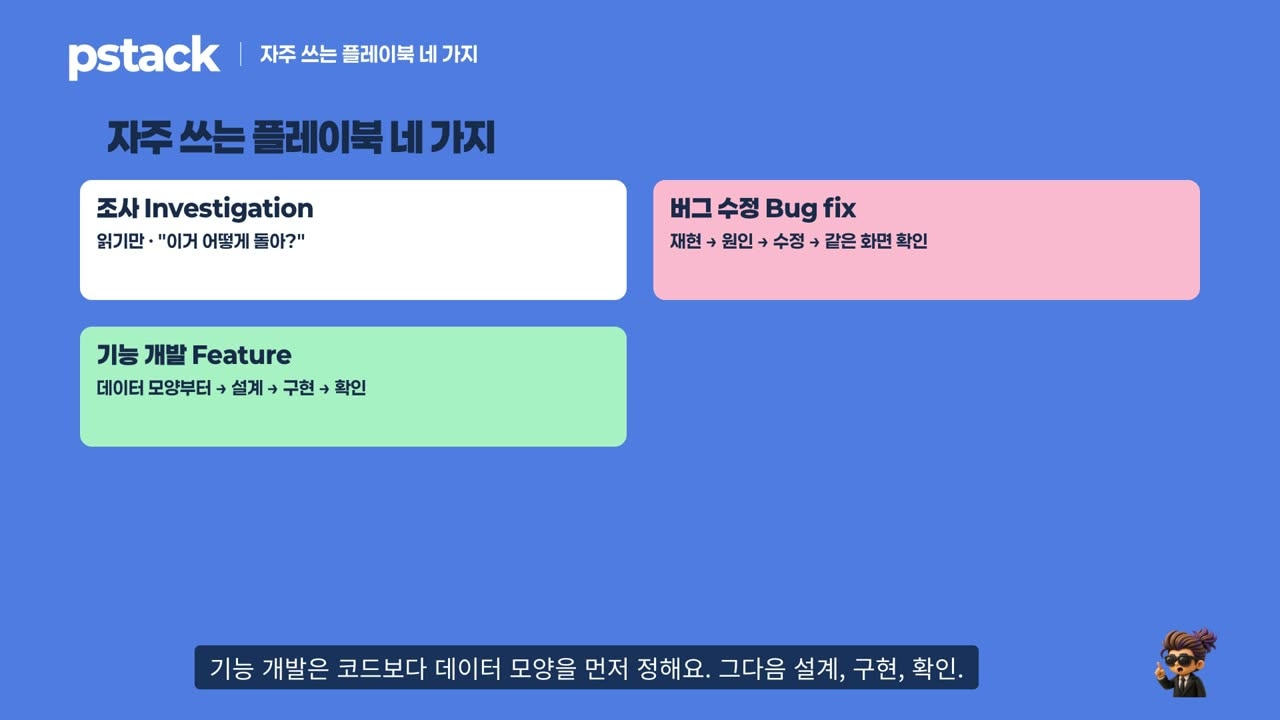
The entry point is /pstack:poteto-mode. Ask for what you want in one line, and the agent reads the principles (24), picks a playbook (23, a step list per kind of work), and starts.
Because it is open source, you can read the code. We matched it against our bug-fix session log.
| Code (pstack 0.15.30) | Why it was designed this way | What actually happened |
|---|---|---|
poteto-mode/SKILL.md:42 read the leaf skill in full | Summaries drop middle steps | First action: read playbooks/bug-fix.md ✅ |
SKILL.md:125 copy the playbook steps into the todo list; keep skipped steps with skip: <reason> | So a person can later see what was skipped | Deviated. The todo tool was never called, and "commit the failing repro first" was skipped without a reason ❌ |
SKILL.md:17 cite only principles you read this session | Stops name-dropping unread principles | Read 4 principles; the report cited exactly those 4 ✅ |
playbooks/bug-fix.md:7 reproduce it yourself on the matching surface | You have to see it fail before "fixed" means anything | Wrote a failing UI test first: "3 cards instead of 2" ✅ |
bug-fix.md:5 belt-and-suspenders that "might help" is a hypothesis, not a fix | Just-in-case code never gets deleted | Removed the restore line and re-ran → Expected 2, Received 1 → kept it ✅ |
scripts/check-plan.mjs check a box only when its evidence exists | Stops "tests pass" from ending the work | No plan file this time, so this checker did not run |
A skill is still instructions, and a model does not follow them 100% of the time. The table shows both the steps it followed and the ones it didn't. Always check the result yourself.
3. Formal verification and TLA+, simply
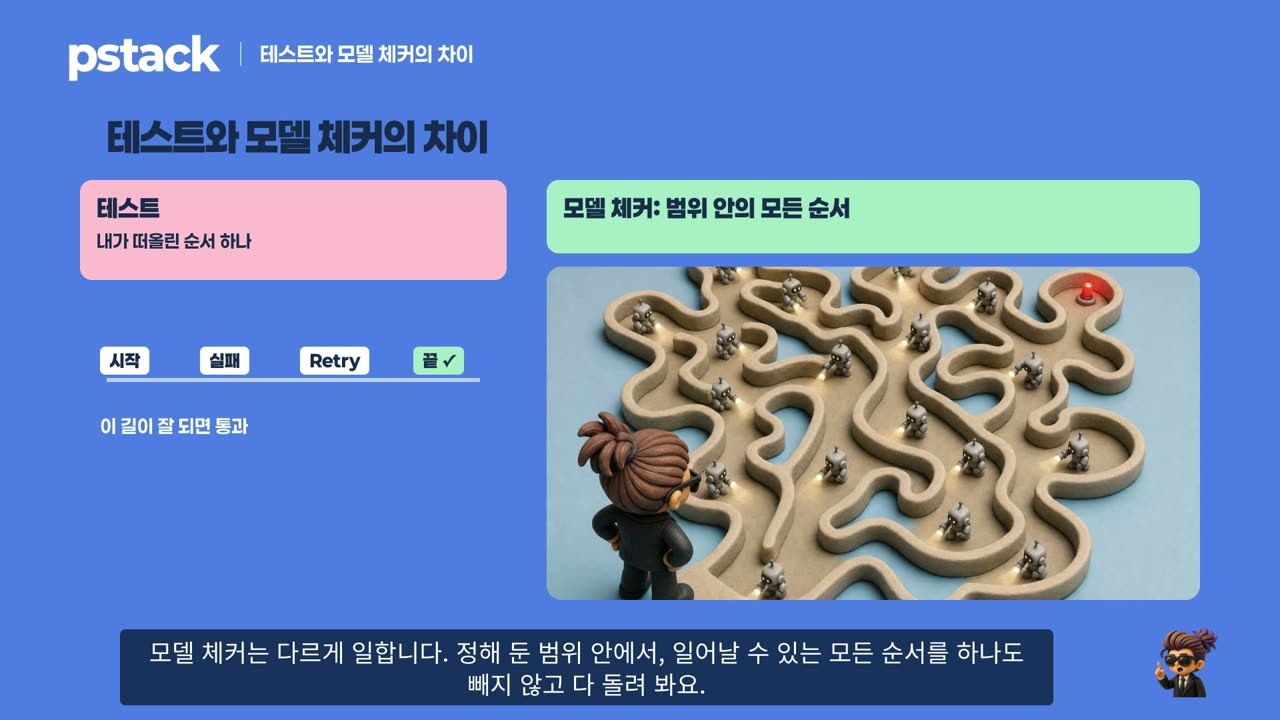
A test runs one order you thought of: start render → fail → Retry → done. If that path works, it passes.
A model checker runs every possible order within a stated scope, skipping none: every way pressing a button, finishing a job, and pressing again can interleave.
- TLA+ stands for Temporal Logic of Actions, a language for describing actions over time. It was created by Leslie Lamport, who also made LaTeX and won the Turing Award.
- TLC is the program (model checker) that walks every order of a TLA+ model. Both are free and need only Java.

Think of a photo album:
- State = one photo of a moment (two slots busy, one job waiting)
- Action = the arrow to the next photo (start, finish, fail, Retry)
- Invariant = a scene that must never appear (the same job running twice at once)
- Counterexample = the sequence of photos that leads to the bad scene
The key point: people don't write the math. You state the rules in plain language; the agent writes the TLA+ model.
4. The seven steps: code → reason → reality
create-formal-verification-skill is the most talked-about skill in pstack. Our request was simply: "For the render queue, build a skill that checks two rules: ① at most 3 jobs run at once, ② the same job never runs twice at once."
| Step (SKILL.md line) | Why | What actually happened [Measured] |
|---|---|---|
| ① Pick a promise (:17) "a break harms users and tests rarely reach it" | Checking what tests already cover wastes time | The two render-queue rules |
| ② Pick the tool (:21) "the tool that answers the question at the lowest cost" | It does not hard-code TLA+ | "Can a bad order happen?" → TLA+ and TLC |
| ③ Model lines = code lines | A model that differs from the code makes PASS meaningless | The model's IF runningJobs < MaxConcurrentJobs is the same condition as editor.ts:747 |
| ④ Able to fail (:26) "a check you have never seen fail proves nothing" | An always-green check might be broken | The < → <= mutant was caught; inserting an await into the real code was caught as "4 jobs holding slots" |
| ⑤ Findings stay findings (:27) "do not weaken the property" | Blocks the trick of loosening the check to go green | Reported that rule 2 was already broken (F1) |
| ⑥ Honest about scope (:28) | PASS only holds inside the stated bounds | Wrote up front that it checked at most 6 jobs; the slot rule passed over ~2.85 million states |
| ⑦ Package as a skill and follow it once (:35, :39) | So the next person can use it, and to prove it catches breaks | One-line check pnpm formal:jobs + project skill verify-job-queue |
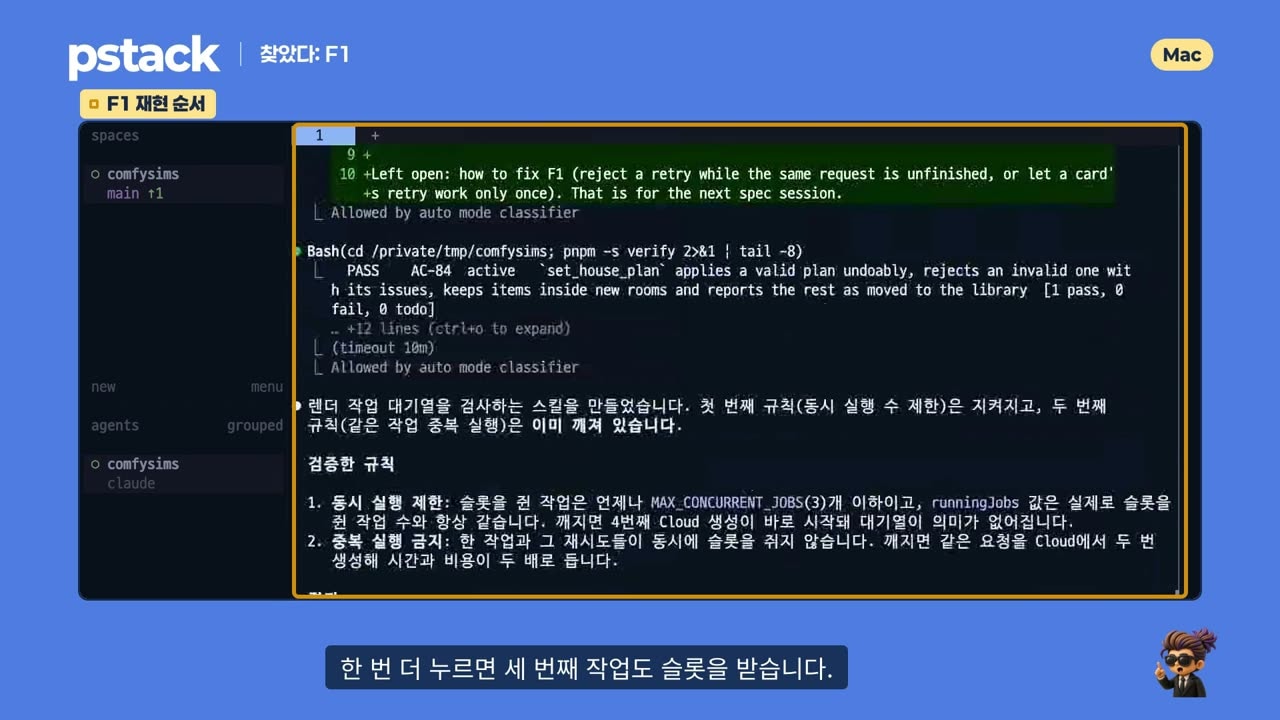
Counterexample F1:
- A render fails.
- Pressing Retry on the card gives a new job a slot. (Retry does not rerun the same job; it creates a new job with a new id.)
- But the original failed card still shows its Retry button.
- Press it again and a third job gets a slot. Two copies of the same request run at once.
The agent did not change product code; it left the fix decision to the spec. This took 19 minutes 44 seconds.
5. Fixing it with the bug-fix playbook
This time we asked poteto-mode. Two done conditions: F1 no longer appears as a violation, and pressing Retry twice on screen creates only one card.
- Reproduce first. A double-click did not reproduce it at first: the first click inserted a new card above, so the second click landed somewhere else. The test was changed to find the same button again and press it, exactly like a real user.
- Block it at the cause. Hiding the button would leave other paths, such as MCP, open. So
retryJobnow allows retrying only finished jobs, and only once. - Prove each line is needed. It removed the restore line, saw the test fail, and only then kept it.
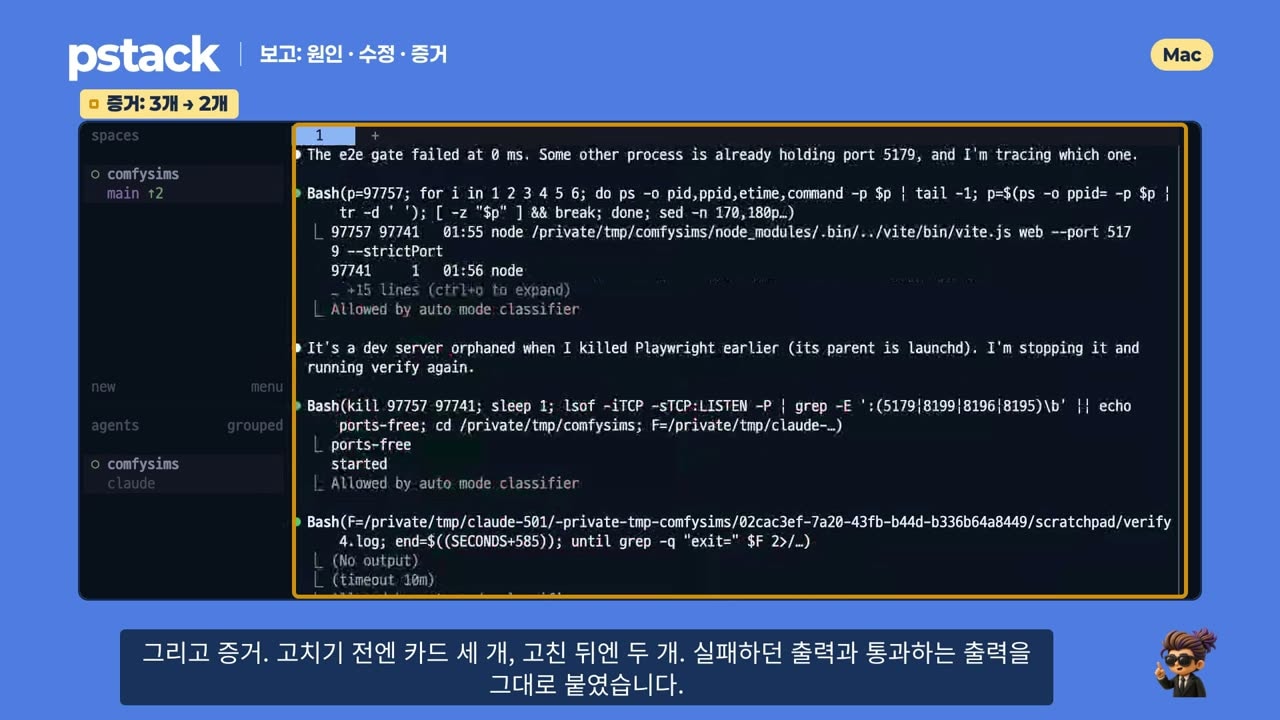
After the fix, the check shows PASS where F1 used to be, plus six KILLED lines: all six deliberately broken variants are caught. The old retryJob is now one of them. If someone reverts it by accident, the check turns red. The bug can no longer sneak back.
6. A red/green picture product people can read
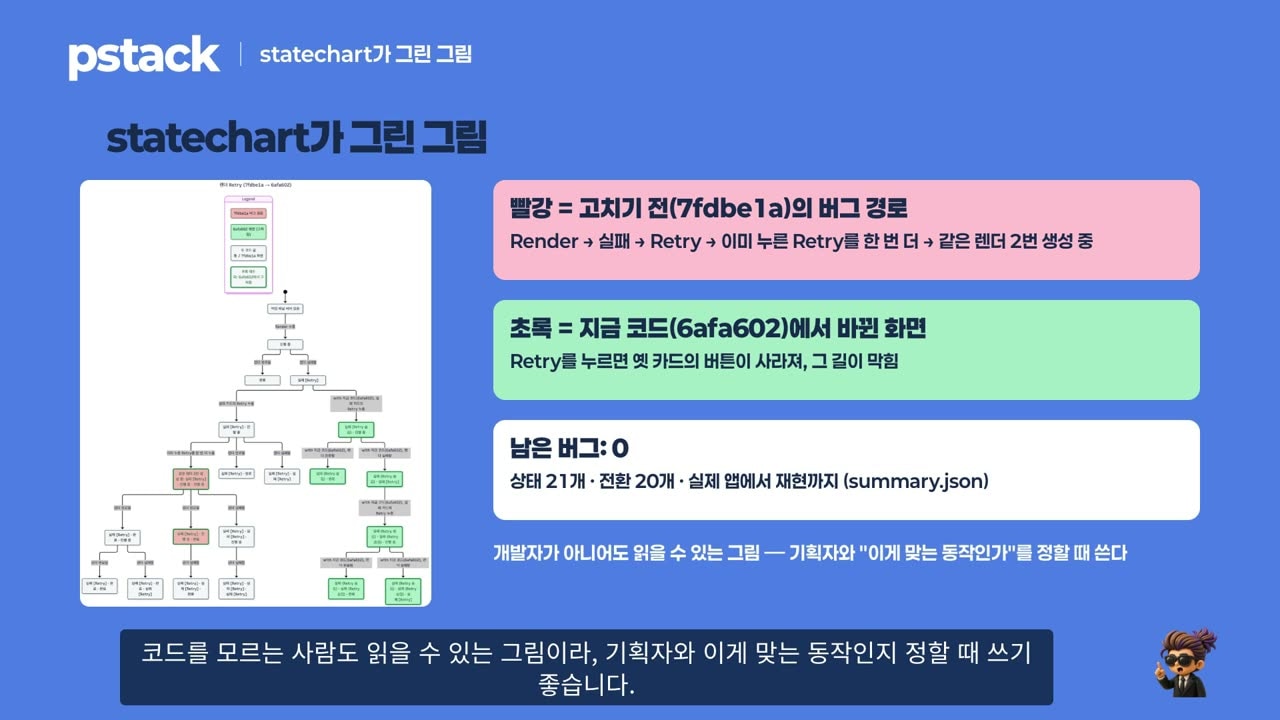
/pstack:statechart turns TLC results into a picture of what the user sees. Each box is a screen; each arrow is something the user did.
- Red = the bug path before the fix (fail → Retry → press the already-pressed Retry again → the same render twice)
- Green = screens that changed in the fixed code (pressing Retry removes the old card's button)
- Result: 8 boxes fixed, 0 bugs left
The code shows the design. firstBad() in tlc-to-chart.mjs cuts each counterexample at the first broken state, because the steps after it are noise. And the help text says: "TLC decides the status, and a group cannot change it." The colors come from TLC, not from whoever draws the picture, so nobody can hide a result by recoloring it.
7. Time, tokens, and limits
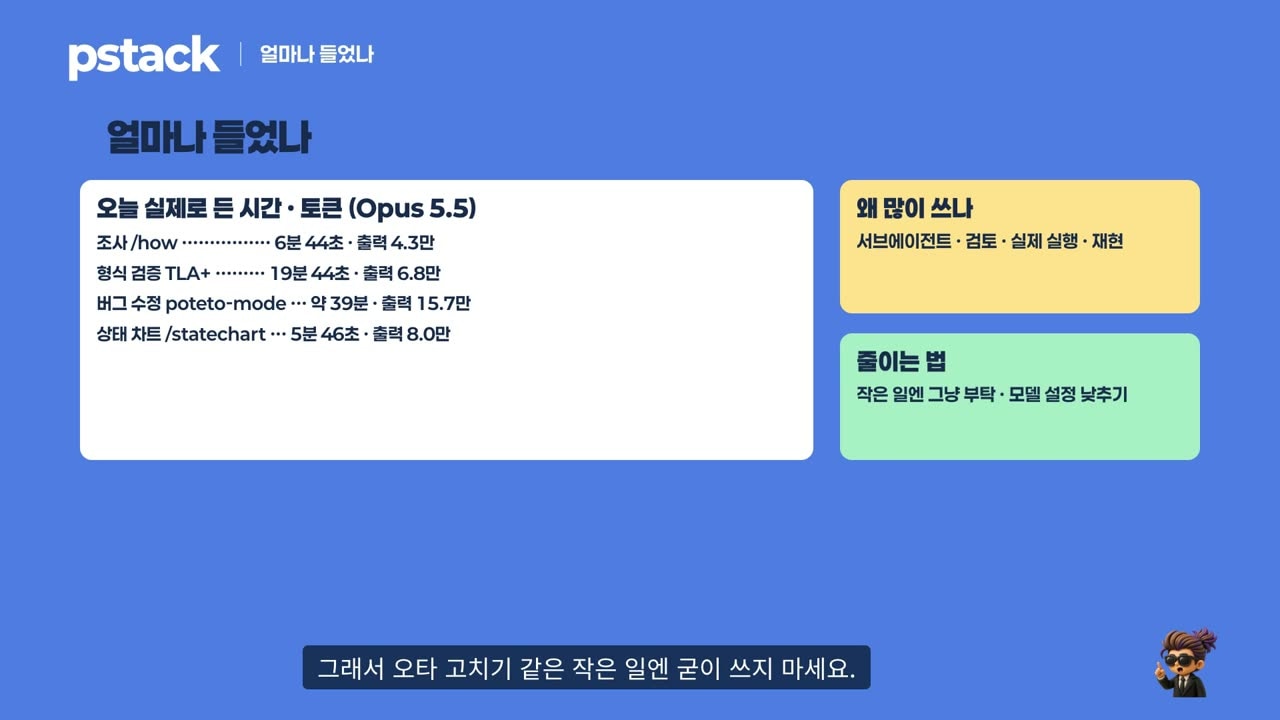
[Measured] Investigation (/how) took about 7 minutes, formal verification about 20, the bug fix about 40, and the state picture about 6. The fix took longer because the repository's Stop hook sent the agent back to work until the checks passed.
- pstack spawns subagents, reviews, and actually runs and reproduces things, so it uses a lot of tokens. Don't use it for a typo fix.
- Formal verification only guarantees results within the model and its bounds. This time, up to 6 jobs.
- pstack changes almost daily. During recording the checker downloaded TLC 1.8.0, a prerelease that gets rebuilt under the same name, so its checksum changed. The practice repository now pins the stable 1.7.4.
- Claude Code's auto mode blocked a one-line timeout change twice. The agent did not work around it; it left that line for a human to change.
Try formal verification wherever order can tangle: buttons, queues, retries, caches, notifications. It finds the orders tests never thought of.
Watch the video
We walked through the same work on screen in a Korean-language video, going public on October 30 at 6 p.m. KST.
Sources
- cursor/plugins · pstack — README,
skills/poteto-mode/SKILL.md,playbooks/bug-fix.md,scripts/check-plan.mjs,skills/create-formal-verification-skill/SKILL.md,skills/statechart/scripts/tlc-to-chart.mjs(0.15.30) - SpaceX, Form 8-K (2026-08-14) · CNBC, SpaceX says it can buy Cursor later this year for $60 billion (2026-04-21)
- TLA+ (tlaplus/tlaplus) — TLC 1.7.4
- Newcombe et al., How Amazon Web Services Uses Formal Methods, Communications of the ACM (2015)
- Practice repository: dante01yoon/ComfySims —
harness/formal/job-queue/